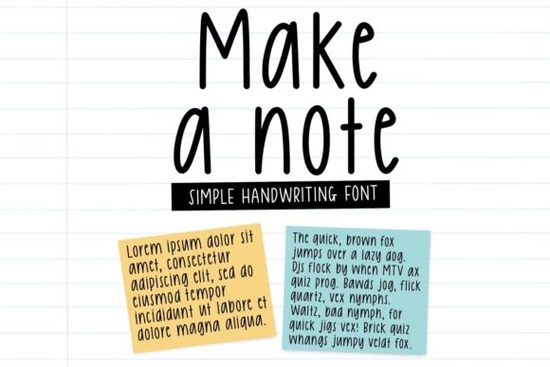
If you’re looking for a handwritten font that feels warm, personal, and just a little playful, Make a Note Font might be exactly what your next project needs. It’s the kind of typeface that doesn’t shout for attention instead, it invites the viewer in with soft curves and friendly letterforms. Whether you’re designing greeting cards, packaging labels, or printable kids’ activities, this script font adds charm without overwhelming your layout.
What makes Make a Note especially handy is how naturally it fits into everyday creative work. You don’t need to be a professional typographer to make it look good its casual rhythm works well even at smaller sizes, and it pairs beautifully with clean sans-serifs or bold display fonts when you want contrast. For example, if you’ve ever browsed our collection of script fonts for Father’s Day projects, you’ll notice how easily Make a Note could slot right in alongside more rugged or humorous styles.
Where does this font work best?
Because of its gentle, approachable style, Make a Note shines in contexts where warmth matters:
- Greeting cards – birthdays, thank-yous, baby showers
- Kids’ crafts and printables – coloring pages, chore charts, classroom labels
- Small business branding – boutique packaging, café menus, handmade product tags
- Social media quotes – especially for lifestyle, parenting, or wellness accounts
It’s also surprisingly versatile across print and digital. Try it on a chalkboard-style Instagram story, or scale it up for a vinyl decal on a nursery wall. The letters have enough character to stand out, but not so much flair that they become hard to read.
How does it compare to other handwritten scripts?
If you’ve used fonts like Dad Collections or Kangen Michella, you know that not all script fonts behave the same way. Some are bouncy and energetic; others feel more formal or calligraphic. Make a Note sits comfortably in the middle relaxed but legible, sweet but not saccharine.
For projects aimed at younger audiences, you might also consider pairing it with something like Baby Megista, which has a slightly rounder, more childlike bounce. Or if you’re creating something heartfelt for healthcare workers, layering Make a Note with Thank You Nurses can add emotional texture without clashing.
And for those working on romantic or couples-themed designs think wedding stationery or anniversary gifts try combining it subtly with Love Island Duo. The contrast between structured elegance and casual warmth can create a really balanced visual tone.
Any tips for using it effectively?
A few practical suggestions from real users:
- Don’t overuse it. One or two lines of Make a Note as a headline or accent often works better than long paragraphs.
- Add tracking (letter-spacing). A tiny bit of extra space between letters helps maintain readability, especially in all-caps layouts.
- Pair with simple backgrounds. Busy patterns or textures can compete with its organic flow. Solid colors or subtle gradients let it breathe.
- Try different weights or alternates. If the font family includes variations, experiment sometimes a lighter weight reads as more delicate, while a bolder cut adds presence without losing personality.
One designer we spoke to uses Make a Note almost exclusively for the “from” line on custom gift tags “From Grandma” or “Made with love by Leo” because it instantly adds that human touch buyers respond to.
Who’s buying this font and why?
Most users fall into three buckets:
- Print-on-demand sellers who want fonts that photograph well on mugs, tote bags, and shirts.
- Teachers and homeschoolers creating worksheets, reward charts, or classroom decor.
- Small creative studios building brand identities for bakeries, florists, or baby boutiques.
The common thread? They’re all looking for something that feels made by hand not machine-perfect, but full of quiet character. That’s where Make a Note delivers consistently.
Ready to try it? You can preview and license Make a Note directly on Creative Fabrica. It comes with standard desktop and web licenses, and many users report quick installs and smooth compatibility across Canva, Silhouette Studio, and Adobe apps.
Quick checklist before you start:
- Download and install the font files
- Test it at different sizes in your preferred design tool
- Pair it with one complementary font (serif or sans-serif)
- Use sparingly for maximum impact
Even if you’re just browsing for inspiration, keep Make a Note in your toolkit. You never know when you’ll need that perfect handwritten whisper to finish a design.
Try It Free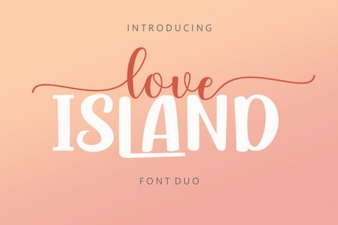 Love Island Duo Font Pairings & Styles Guide
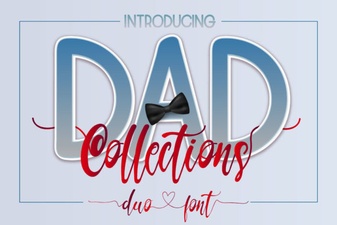 Design Projects with the Dad Collections Creative Font
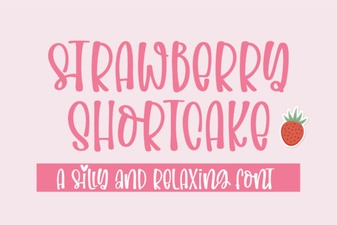 Strawberry Shortcake Fonts for Design Projects
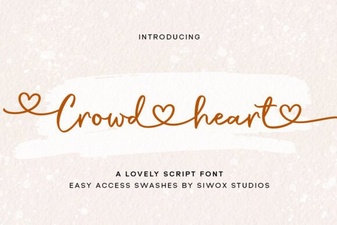 Creative Typography with Crowd Heart Font
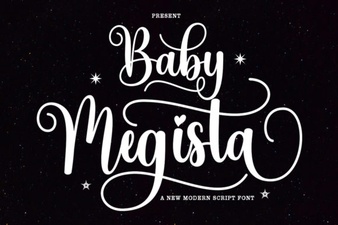 Creative Projects with Baby Megista Font
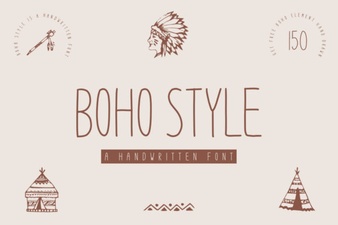 Boho Fonts for Creative Projects & Diy Designs