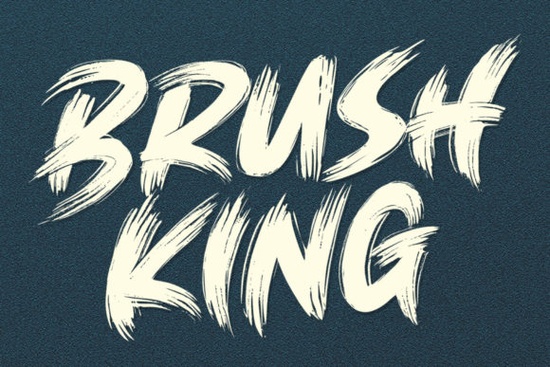
If you’ve ever wanted a font that feels alive on the page one that moves with rhythm and attitude Brush King Font might be exactly what your next project needs. It’s not just another brush script; it’s built for motion, with quick strokes and sharp edges that give your headlines, logos, or merch designs a punchy, hand-crafted energy. Whether you’re designing t-shirts, posters, social media graphics, or packaging, this font brings personality without needing extra embellishment.
What makes Brush King stand out is how intentional every curve and flick feels. The designer didn’t just mimic brushwork they exaggerated the right parts to make sure each letter pops visually. That’s especially useful if you’re creating for print-on-demand platforms where small details can get lost. Even at smaller sizes, the contrast between thick downstrokes and thin upstrokes holds up well, which isn’t always true for brush-style fonts.
Who should use Brush King Font?
This font works best when you want something expressive but still legible. Think of crafters making custom mugs or tote bags, small business owners designing their own branding materials, or digital creators building quote graphics for Instagram. It pairs nicely with clean sans-serifs for balance, or you can go all-in with layered textures and vintage filters for a bold poster look.
If you like the vibe of Bookman but need more movement, or if Chalk Zone feels too playful for your brand, Brush King sits in that sweet spot between controlled and wild. It’s also worth comparing to Tiki Bar if you’re going for tropical or retro themes though Brush King leans more urban and modern. And if you’re into rugged, warrior-style typography, take a peek at Viking Empire as a heavier alternative.
How does it perform in real-world projects?
Users report that Brush King scales well whether you’re blowing it up for a billboard mockup or shrinking it slightly for a product tag. The OpenType features (if your software supports them) include stylistic alternates, so you can swap out letters to avoid repetition in words like “coffee” or “success.” That little tweak keeps your design from looking robotic.
One thing to note: because of its energetic flow, Brush King works best as a display font. Don’t set paragraphs in it save it for titles, buttons, or short phrases. Pair it with something neutral like Helvetica, Lato, or even a classic serif like Georgia for body text. You’ll keep the focus where it belongs while letting Brush King do the heavy lifting visually.
You can find Brush King Font on Creative Fabrica, along with thousands of other display fonts. If you’re already subscribed to their service, it’s included in the library no extra cost. For non-subscribers, it’s affordably priced as a single download, often bundled with bonus glyphs or matching vectors.
Any tips for getting the most out of it?
- Spacing matters. Brush scripts can feel cramped if letters are too close. Try increasing tracking slightly in your design app even 20–50 units can make a big difference.
- Color contrast helps. Dark backgrounds with light text (or vice versa) let those sharp edges really shine. Avoid mid-tone combos unless you’re adding a subtle stroke or shadow.
- Don’t overdo effects. This font already has texture and motion baked in. Skip the drop shadows or bevels unless you’re going for a very specific retro-poster look.
Is it beginner-friendly?
Absolutely. You don’t need advanced typography skills to use Brush King effectively. Just type your word, pick your size, adjust spacing if needed, and you’re good to go. Most users say they get professional-looking results within minutes even if they’re new to design tools like Canva, Photoshop, or Illustrator.
One user shared how they used it for a local coffee shop’s seasonal menu board. They paired it with simple icons and a muted color palette, and customers kept asking where they got the “hand-painted” look. That’s the magic of a well-made brush font it feels personal, even when it’s digital.
Before you download, here’s a quick checklist:
- ✅ Do you need a font with strong visual impact for headlines or logos?
- ✅ Are you okay using it as a display font (not for long paragraphs)?
- ✅ Do you have access to Creative Fabrica (subscription or one-time purchase)?
- ✅ Will you pair it with a simpler font for balance?
If you answered yes to most of these, Brush King will likely slot right into your workflow. Give it a test run with a mock quote or product name you might be surprised how much character it adds with zero effort.
Try It Free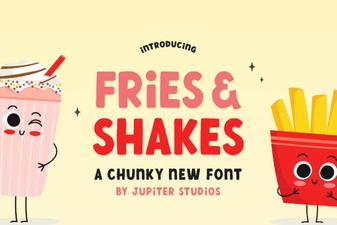 A Modern Font for Bold Food Branding
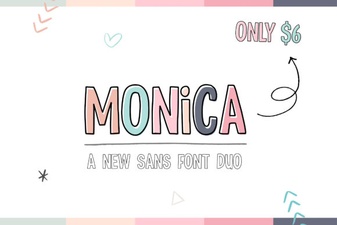 Monica Font: Your Creative Design Companion
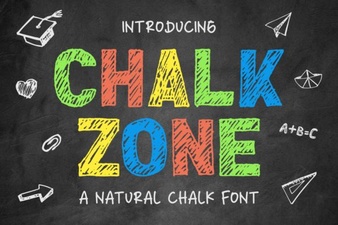 Chalk Zone Font Style & Design Inspiration
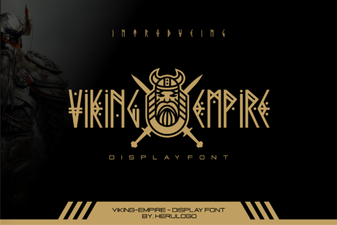 Choosing a Viking Empire Font for Your Projects
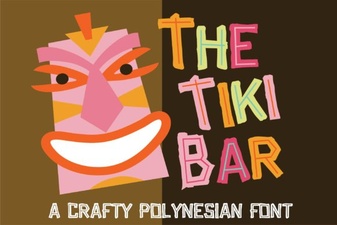 Choosing a Font for Your Tiki Bar Decor
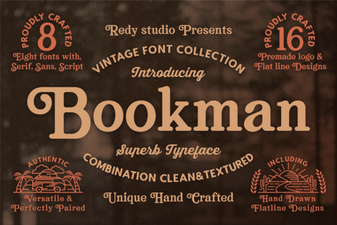 The Versatile Design of Bookman Font